



Overview — what you’ll know in 3 minutes (and the one thing most reviews skip)
By the end of this section, you’ll know if Fitness+ fits your devices and your routine before you spend money.
Who it’s for / who it’s not for
Best for:
- Apple-device households (iPhone/iPad/Apple TV) who want a polished, guided experience.
- People who do better with video coaching, timers, and a “just press play” vibe.
Not ideal for:
- Android-only users (you’ll need a different app).
- People who want granular playback control while working out on Apple TV (rewind/fast-forward isn’t supported there).
What you need to use it (devices + reality check)
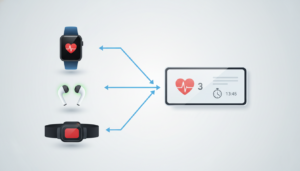
Apple’s support guidance explains you can use Fitness+ across Apple devices, and you can also pair supported accessories for on-screen metrics. For example, Apple notes you can pair AirPods Pro 3, Powerbeats Pro 2, or a supported Bluetooth third-party heart rate monitor with compatible iPhone/iPad/Apple TV versions to see metrics on screen.
Key features — what you’re really paying for (not just “workouts”)
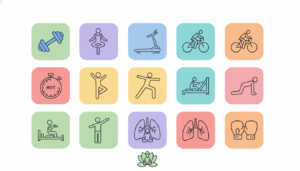
At the end of this section you’ll get a 60-second “find a class you’ll actually finish” workflow for low-motivation days.
Workout library: types, time ranges, and weekly updates
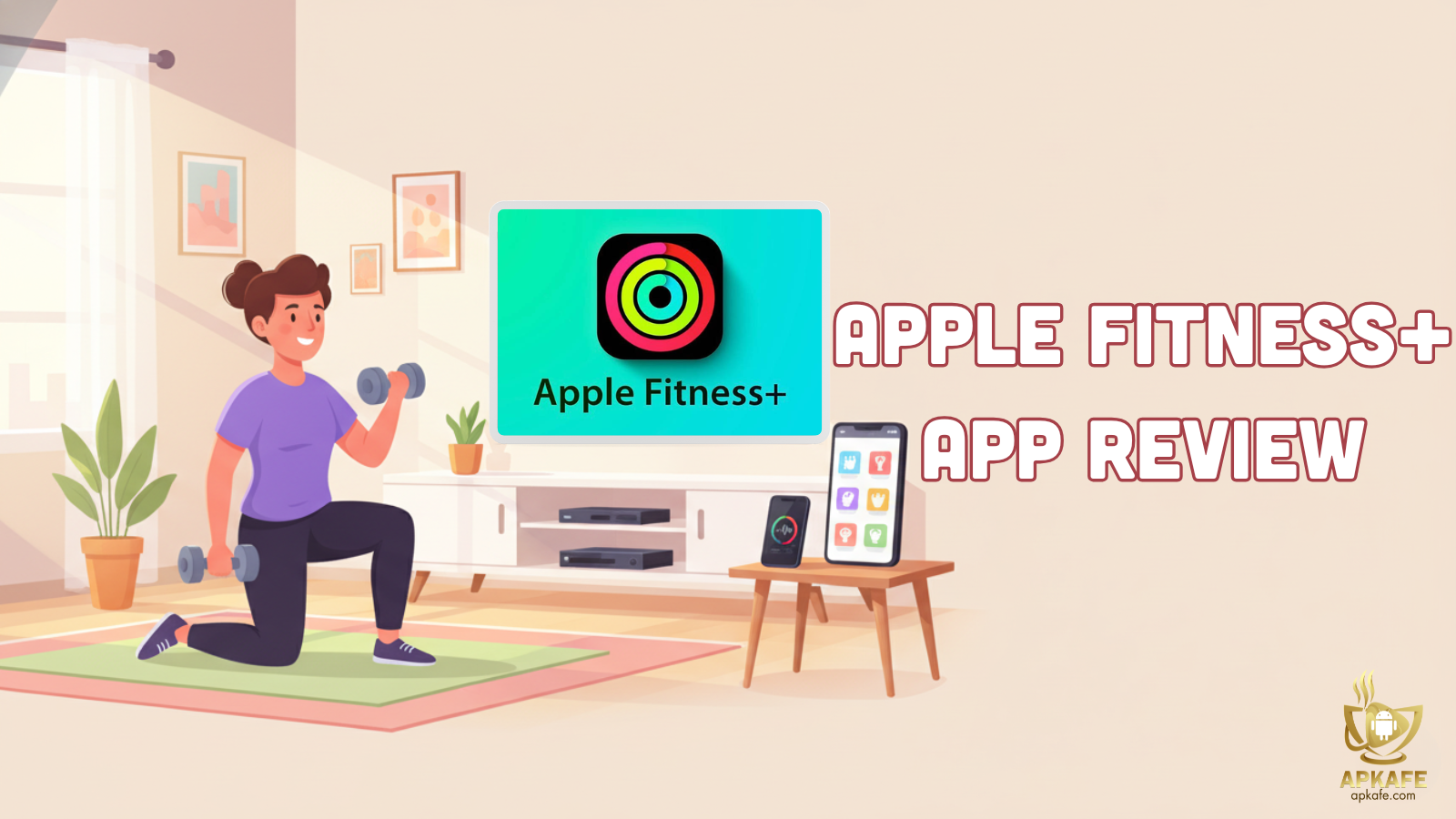
Apple’s Fitness+ page highlights 12 workout types plus meditation, with new sessions added weekly, and sessions typically 5 to 45 minutes.
That range matters: if you’re trying to build a habit, shorter sessions are often what keeps the streak alive.
Coaching experience: structure, modifications, and the “finishability” factor
Fitness+ tends to feel “finishable” because sessions are structured around clear segments and cues. You also get a post-workout summary experience (Apple documents starting/pausing/ending a workout and seeing a summary at the end).
On-screen metrics and customization (what you can control)
Apple’s Fitness+ guide explains you can change which metrics appear on screen, and notes different metric sets depending on whether you’re using Apple Watch or supported earbuds/HR monitors (heart rate, calories, Burn Bar; and Activity rings with Apple Watch).
Practical tip: In week one, show only time remaining + heart rate (or heart rate alone). Less clutter = less “numbers anxiety.”
The 60-second “finish-a-class” workflow
- Filter by time first (10–20 min).
- Pick one workout type (Strength or Yoga—don’t over-plan).
- Pick a trainer you enjoy.
- Start immediately—don’t browse longer than 60 seconds.
Apple Fitness+ pricing — what it costs in the US (and when it’s worth it)
The smartest payment choice depends on one thing: how often you’ll use it most weeks.
Current US price + Family Sharing
Apple’s newsroom posts reiterate Fitness+ pricing at $9.99/month (US) or $79.99/year (US) and that it can be shared with up to five other family members.
Dưới đây là phần chèn thêm 1–2 đoạn scenario ngay sau “Simple value rule” (giữ đúng logic giá + tần suất → quyết định), bạn có thể copy-paste vào section Pricing:
Simple value rule:
- If you’ll use it 0–1×/week, go monthly (or test free alternatives first).
- If you’ll use it 2–3×/week most weeks, annual starts to make sense.
Scenario 1 (new user, 2–3×/week, iPhone + Apple Watch):
If you’re new to structured workouts and you realistically plan to train 2–3 times per week, and you already use iPhone + Apple Watch, start with the monthly plan for 1–2 months. That gives you enough time to find your preferred trainers/workout types and build a repeatable routine without locking in too early. Once you’ve proven you’re actually using it most weeks (and the sensor setup feels smooth), switching to annual is the simpler value move.
Scenario 2 (1×/week, unsure about the vibe):
If you work out around once a week and you’re not sure you’ll like the coaching/music style, it’s smarter to avoid committing. Either stay monthly (so you can cancel without regret) or, even better, test FitOn or Nike Training Club first to see what kind of workouts you’ll stick with before paying for a subscription ecosystem.
Apple One Premier: when the math changes
Apple’s Apple One page lists the Premier plan at $37.95/month (US), and Apple Support notes Premier includes Fitness+ (where available).
If you already use several Apple services, bundling can reduce total cost—but only if you’d truly pay for those services anyway.
Pros and cons — the honest trade-offs
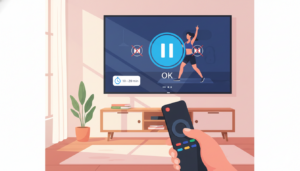
One con is a deal-breaker for some people—unless you use a simple workaround.
Pros
- Low friction if you already live in Apple’s ecosystem (Fitness app workflow).
- Time-flexible sessions (5–45 min) + weekly additions that reduce boredom.
- Metric customization so you can keep the screen simple.
Cons (and the workaround)
- Apple TV playback limitation: On Apple TV, you can’t rewind or fast-forward a Fitness+ workout or meditation (you can pause).
- Workaround: choose shorter sessions for TV days and restart if needed—less frustrating than trying to “jump back in” mid-stream.
- Preference mismatch: music/trainer style is personal. Plan to test 3–5 trainers during your trial so you don’t mistake “not my vibe” for “bad app.”
Is Apple Fitness+ accurate?
Your accuracy outcome depends more on your sensor choice + fit than the workout video itself—here’s how to set it up right.
Where metrics come from (Apple Watch vs earbuds vs HR monitor)
Apple documents that you can pair AirPods Pro 3, Powerbeats Pro 2, or a supported Bluetooth heart rate monitor with compatible Apple devices to see metrics on-screen.
Apple also describes Powerbeats Pro 2 heart rate monitoring and how it can share heart rate data with Apple Fitness workouts.
What “accurate” should mean in real life (HR vs calories)
- Heart rate can be a useful real-time effort signal when the sensor fits well and stays connected.
- Calories are always estimates. Use them for patterns over time, not as a precise score for a single workout.
60-second accuracy checklist (do this once)
- Use the best supported sensor you have (Apple Watch / supported earbuds / supported BT HR monitor).
- Ensure snug fit (watch/earbuds) and stable Bluetooth.
- Reduce interference: keep the paired device nearby; avoid switching audio devices mid-workout.
- In Fitness+, customize metrics so you only see what helps (not what distracts).
- Re-check Health/Bluetooth permissions after OS updates.
Summary of user reviews — what people love and what makes them cancel
Use this as your “keep vs cancel” checklist before your trial renews.
What people tend to praise
Common “keep” reasons are usually:
- The polished coaching structure that reduces decision fatigue
- The variety across workout types and time lengths
- Motivation from on-screen metrics (when set up properly)
What pushes people to cancel
A frequently mentioned complaint is the lack of rewind/fast-forward (especially on TV). Good Housekeeping specifically noted you can pause, but can’t rewind or fast-forward classes.
Other “quit” reasons are usually preference-based: trainer vibe, music taste, or wanting a different kind of programming.
Quick compare — Apple Fitness+ vs FitOn vs Nike Training Club
Choose based on your real constraint: Apple integration, cross-platform access, or “free but strong.”
| Criteria | Apple Fitness+ | FitOn | Nike Training Club |
|---|---|---|---|
| Best for | Apple ecosystem users who want a polished guided experience | Cross-platform users who want free-first workouts | People who want a large free workout library |
| Cost baseline | $9.99/mo or $79.99/yr (US) | “Sign up for free”; optional Pro features | Free access highlighted on official listings |
| Device fit | iPhone/iPad/Apple TV | Cross-platform positioning | iOS + Android downloads available |
| Live metrics | Depends on compatible sensors (Watch/earbuds/HR monitor) | Varies by device setup | Varies by device setup |
| Biggest downside | No rewind/fast-forward on Apple TV | Premium upsells (varies by user) | Coaching style may not feel as “Apple-polished” |
Pick Fitness+ if you want the most seamless Apple-device experience and you’ll use it consistently.
- Pick FitOn if you want a strong free-first option across devices.
- Pick Nike Training Club if you want lots of free workouts and simple access via official app stores.
Install & sync steps — iOS, Apple TV, wearables, and the Android reality check

Do this once and starting a workout becomes a 10-second habit, not a setup chore.
iPhone / iPad: start using Fitness+
Apple Support’s “How to use Apple Fitness+” explains you can use Fitness+ across iPhone/iPad/Apple TV and access multiple workout types plus meditation.
Basic flow:
- Open the Fitness app → go to Fitness+.
- Start a workout and pause/resume as needed.
- Optional: set up a plan (Apple documents Custom Plans inside Fitness+).
Apple Watch / AirPods Pro 3 / Powerbeats Pro 2 / Bluetooth HR monitor: get on-screen metrics
- Confirm you’re on supported device/software versions for on-screen metrics.
- Pair the supported accessory (earbuds/HR monitor) and start the workout.
- Customize what you see using metric settings.
Apple TV:big-screen workflow (plus a key limitation)
Apple TV is great for form visibility. Just remember: Apple’s Apple TV guide states no rewind/fast-forward for Fitness+ on Apple TV.
Android reality check (read this first if you don’t use iPhone)
Apple Fitness+ is built around Apple’s Fitness ecosystem—meaning the core experience is designed to run through Apple devices (iPhone/iPad/Apple TV). If you’re Android-only, Fitness+ won’t be the smooth “press play and go” subscription it’s meant to be, because you won’t have the same native Fitness app flow or device pairing support that Apple targets.
What to do instead depends on your goal:
- If you want the best free-first option (try before paying): choose FitOn.
FitOn is positioned as a free-to-start workout app, which makes it a solid baseline if you’re not sure what workout style you’ll stick with. Start by filtering sessions by 10–20 minutes, then pick 1–2 styles (Strength + Yoga, for example) for your first week. - If you want a big free workout library with strong brand programming: choose Nike Training Club.
Nike Training Club highlights 190+ free workouts across strength, endurance, yoga, and mobility, and it’s widely available via official app stores—so it’s the easiest “download and train” alternative for Android users.
Quick Android decision rule (one-liner)
If you’re Android-only, you’ll usually do better with FitOn (free-first flexibility) or Nike Training Club (free library depth) than trying to force Fitness+ into a non-Apple setup.
Suggested internal cross-links to use right after this block (optional):
Troubleshooting — the fixes people actually need in week one
If you need to rewind on Apple TV
You can pause/resume, but on Apple TV you can’t rewind or fast-forward Fitness+ workouts or meditations.
Best workaround: pick 10–20 minute sessions on TV days, or switch to iPhone/iPad if you strongly prefer more flexible playback control.
Safety note: don’t rush to “catch up” after a restart—treat it like a fresh session.
Conclusion — should you subscribe?
Here’s the simplest decision: Subscribe / Try alternatives / Skip, based on your devices and motivation style.
Decision checklist (screenshot-friendly)
| If this is true… | You should… |
|---|---|
| You’re mostly Apple devices and want a polished guided routine | Choose Apple Fitness+. |
| You’re Android-only or mixed-device household | Start with FitOn or Nike Training Club. |
| You want on-screen heart-rate style metrics | Pair supported devices (Watch/earbuds/BT HR monitor). |
| Apple TV is your main screen and rewind matters | Consider alternatives or shorter TV sessions. |
| You already pay for multiple Apple services | Check Apple One Premier value. |
Health & Privacy Disclaimer (read this first)
This article is informational only and not medical advice.
- If you have a medical condition, injury, or concerns about starting exercise, consider checking with a qualified professional.
- Start easier than you think you need; increase intensity gradually. Stop if you feel dizzy, chest pain, or sharp pain.
- Use modifications and prioritize form over speed—especially for strength/HIIT.
- Treat calorie estimates as rough trends, not a “score.”
- Review app/device permissions (Health data, Bluetooth accessories, notifications) and keep them minimal.
FAQs
1) How much is Apple Fitness+ in the US?
Apple lists Fitness+ at $9.99/month or $79.99/year (US).
2) Do you need an Apple Watch to use Fitness+?
You can use Fitness+ in the Apple Fitness ecosystem without an Apple Watch, but on-screen metrics depend on compatible sensors (Apple Watch, supported earbuds, or a supported Bluetooth heart rate monitor).
3) Can you use Apple Fitness+ on Android?
Fitness+ is built for Apple’s Fitness ecosystem (iPhone/iPad/Apple TV). Android-only users should choose a cross-platform workout app instead.
4) Is Apple Fitness+ accurate?
It depends on the sensor source and fit. Heart-rate style metrics are most useful when your compatible sensor is connected and fitted properly; calorie numbers are estimates best used for trends.
5) What devices support on-screen metrics?
Apple documents pairing AirPods Pro 3, Powerbeats Pro 2, or a supported Bluetooth heart rate monitor (and Apple Watch options) to display workout metrics.
6) Can I rewind/fast-forward Apple Fitness+ workouts on Apple TV?
Apple TV has playback limits for Fitness+—see “Cons → Apple TV playback limitation” for the workaround and “Troubleshooting → If you need to rewind on Apple TV.”
7) Can you share Apple Fitness+ with your family?
Apple documents sharing Fitness+ via Family Sharing with up to five other family members.

User Reviews