


If you want a workout app you can open and start using immediately without planning or confusion this introduction will help you decide fast.
With so many fitness apps on the market, Nike Training Club (NTC) is often seen as a “safe choice” for both beginners and people returning to exercise after a break. It stands out for its guided workouts, structured programs, and the familiar Nike coaching style that emphasizes clarity over complexity.
What Is Nike Training Club?
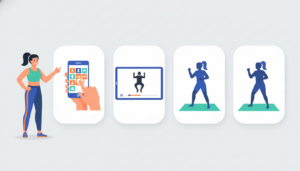
Nike Training Club is Nike’s official fitness and training app. It’s designed to deliver guided workouts and structured training programs for a wide range of fitness levels, from beginners to more experienced users.
Instead of asking users to build their own workout plans, Nike Training Club follows a “follow-along” model:
- You choose a workout or program
- A trainer demonstrates and guides each movement through video
- You follow along, without needing to plan or design a routine
Key Features — What you actually get inside NTC

Keep reading for the 3 features that matter most for consistency (not the flashy stuff).
Nike positions NTC as a place to access “industry-leading workout programming” and coaching, with sessions designed to work across settings (home, gym, on the road). In practice, the features that matter most tend to be these:
1) Guided workouts that feel like “press play training”
NTC’s coaching style is its core value: video-led workouts, clear movement demos, and pacing that makes it easier to start even when motivation is low. If you’re nervous about strength training, a guided format is often better than assembling random exercises from memory.
Micro-tip: Repeat the same “beginner full-body” workout 2–3 times in your first week. Repetition improves confidence and form faster than constant novelty.
2) Programs vs single workouts (what to choose first)
If you want progress you can feel, pick a structured program (or any plan/path inside the app) rather than bouncing between unrelated sessions. Browsing can be fun, but it can also turn into “random workouts,” which makes improvement harder to notice.
Simple rule:
- Choose a program if your goal is consistency, strength, or habit-building
- Choose single workouts if your goal is “I just need movement today”
Micro-tip: Commit to a 14-day mini-challenge: “Any workout counts, even 10 minutes.” That’s often enough time to learn whether the app fits your life.
3) “Is Nike Training Club accurate?”—what accuracy means in a workout app
This question matters, but it’s easy to ask it the wrong way. For workout apps, “accurate” usually means one of three things:
Calorie burn accuracy
Calories are estimates. They vary widely based on effort, body size, conditioning, and whether the app uses sensor data. Even with a wearable, it’s still not medical-grade measurement—so the healthiest mindset is trend over time, not “this number must be exact.”
Difficulty labels (beginner/intermediate)
This is more about fit than precision. “Beginner” can still feel tough if you’re returning after time off. Choose the easiest version first and ramp gradually.
Tracking reliability (did it log my workout?)
This is the most practical “accuracy” question. If the app doesn’t reliably log completed sessions, it can mess with motivation. Later, I’ll show quick troubleshooting steps and a simple backup method.
Sanity-check method (without obsessing)
- Use the app to track consistency (days trained per week)
- Track 1–2 simple performance markers (more reps, longer plank, heavier dumbbells)
- Treat calories as a rough range, not a score
Nike Training Club Pricing — is it really free?

In this section you’ll get a clear “free vs not-free” answer—and what to double-check before committing.
Nike’s App Store listing states that Nike Members get free access to NTC content. Nike’s NTC page also frames the app around training content and coaching.
Because pricing models can change over time, the most honest way to approach “pricing” is:
What to check today (takes 30 seconds)
- App Store (iOS): scroll to the In-App Purchases area (if shown) and read the listing details.
- Google Play (Android): check whether the listing indicates purchases/subscriptions and what’s included.
- Inside the app: watch for prompts that say “upgrade,” “premium,” or “member benefit,” then read what’s actually gated.
Bottom line: As of the current store listing language, Nike describes member access as free—just verify the listing and in-app purchase section on the day you install, especially if you’re starting a multi-week plan.
Pros and Cons (real-world, not marketing)

I’ll list the deal-breaker cons first so you don’t waste time if they matter to you.
Cons (potential deal-breakers)
- Not built for deep personalization or coach feedback: If you want an app that adjusts your training automatically based on performance (or includes interactive coaching), NTC may feel limited compared with more “adaptive” systems.
- Tracking glitches can happen: Nike has help guidance for missing run/workout data after logging out and back in—suggesting this is a known category of issue (not necessarily frequent, but real).
- Progress dependence: If your motivation depends heavily on perfect tracking, any glitch can feel bigger than it is.
Pros (why people stick with it)
- Polished guided training experience: Nike frames access to trainers and coaching as a key benefit, and many reviewers highlight the overall quality of sessions.
- Works across home/gym/travel setups: Nike explicitly positions NTC as usable in multiple environments and equipment levels.
- Strong value perception: Multiple reputable outlets have praised NTC as a top-tier workout option, often emphasizing that it’s free.
Summary of User Reviews — what people praise vs complain about

You’ll see the top patterns users repeat—and which one matches your risk tolerance.
User reviews tend to cluster into a few repeat themes:
What users commonly praise
- Workout quality and coaching feel (clear demos, guided pace)
- Variety across training styles and time lengths (useful when life gets busy)
- Motivation from structure (especially when following a program)
What users commonly complain about
- Program tracking / progress reliability: It’s not uncommon to see users frustrated when programs don’t filter well or don’t track the way they expect. For example, Google Play review snippets mention program tracking friction and wanting better segmentation.
- Sync and missing data edge cases: Nike’s own help page notes that if you’re missing run/workout data after logging out/in, you should contact Nike for help.
If you’re worried about “losing progress,” do this
- Keep a tiny backup log in Notes: Date — Workout name — Minutes
- Don’t let logging determine your motivation: consistency is the real win
Quick Compare — Nike Training Club vs FitOn vs Daily Workouts
By the end, you’ll know which app fits your style in under 2 minutes—no overthinking.
Here’s the practical difference
| App | Best for | Why choose it | When it’s a good fit |
|---|---|---|---|
| Nike Training Club (NTC) | Guided coaching + structured sessions | Polished, follow-along workouts with clear instruction and ready-made programs. Designed for use at home, in the gym, or while traveling. | ✓ You want guidance that reduces planning ✓ You prefer following programs instead of browsing workouts endlessly |
| FitOn | Class-style variety + social / studio vibe | Workout sessions feel like fitness classes. App Store listing shows in-app purchases tied to FitOn PRO, which unlocks additional features. | ✓ You stay motivated by class energy ✓ You’re okay evaluating a paid PRO tier for extra features |
| Daily Workouts | Minimal setup + simple daily routines | Straightforward routines with very little setup. Google Play listing notes most features require an auto-renewing subscription or lifetime membership. | ✓ You want the simplest routine flow possible ✓ You’re fine with subscription or lifetime access models |
Choose NTC if…
- You want a guided experience that reduces planning
- You’ll actually follow a program rather than browsing endlessly
Choose FitOn if…
- You need workouts to feel like classes to stay engaged
- You’re okay evaluating a PRO tier for extra features
Choose Daily Workouts if…
How to Install & Sync (Android/iOS/wearables)
In a few steps, you’ll set it up in a way that protects privacy and reduces setup friction.
iOS (iPhone/iPad)
- Install NTC from the App Store listing.
- Log in (or create a Nike account) if you want syncing—especially across devices.
- Permissions: start by denying optional permissions, then enable only what you’ll use (notifications, health connections).
- If you connect Apple Health or a wearable, do one test workout and confirm it appears where you expect.
Android
- Install from Google Play.
- Update the app and Android OS if you see glitches (a common first fix across apps).
- If background syncing is flaky, check battery optimization settings for NTC.
Wearables (Apple Watch and others)
Wearable syncing varies by device and app updates, so treat it like a checklist:
- Decide what you want tracked (heart rate, workout logs)
- Connect only the needed service
- Test one workout and confirm the data appears in the right place
Troubleshooting — common issues and quick fixes
If anything feels “buggy,” this section gives you the fastest fixes to try before you uninstall.
Program progress not saving / missing workout data
Try these in order:
- Update the app (and your phone OS), then restart your device.
- Confirm you’re logged into the correct Nike account on the correct device.
- Check network (Wi-Fi vs cellular), then reopen workout history.
- If you’re missing data after logging out and back in, Nike’s help page suggests contacting Nike support.
Workouts not syncing to Apple Health (or activity history)
If you’ve connected Health and it still doesn’t work, a common “reset permissions” approach is to verify Health permissions, then reconnect. (Some users report reinstalling can reset permissions, but that’s anecdotal—try permission checks first.)
Videos won’t load
- Restart the app/device
- Try a different network
- Check storage space
- Close background apps using bandwidth
When to switch apps (instead of fighting the setup)
If the app repeatedly blocks you from completing workouts, switching can be the best habit decision. Consistency beats feature depth.
Health & Privacy Disclaimer

This content is informational only and isn’t medical advice. If you have an injury, medical condition, dizziness/fainting, chest pain, or you’re unsure what’s safe, consider guidance from a qualified health professional before starting a new program. Start easier than you think, progress gradually, and stop if you feel sharp pain (not just effort).
Privacy checklist (fast)
- Deny optional permissions first; enable later if needed
- Review account and data-sharing settings
- Keep only the notifications you’ll actually tolerate
- If you leave an app, review data controls/deletion options
FAQs
Is Nike Training Club really free?
Nike’s App Store listing states Nike Members get free access. Always verify the current listing and any in-app purchase section on the day you download.
What does Nike Training Club cost (pricing)?
Pricing models can change, so check the store listing and the in-app purchase section, then confirm inside the app what (if anything) is gated.
Is Nike Training Club accurate for calories burned?
Treat calorie numbers as estimates. Use them for trends, not precision; your effort and sensors can change the estimate session to session.
Is Nike Training Club good for beginners?
Often yes—especially for people who want guided instruction and a clear starting point. Choose beginner sessions first and ramp gradually.
Why isn’t my program progress saving (or why did it reset)?
Update the app/OS, restart, confirm your account login, and check network. Nike notes missing data after logging out/in should be escalated to support.
Does NTC work with Apple Watch or other wearables?
Wearable syncing varies. Connect only what you need, verify permissions, and test one workout to confirm it logs where you expect.
Can I use NTC offline?
Offline behavior depends on whether workouts are streamed or available offline. Test airplane mode with a saved/favorite workout before relying on it for travel. If you want a workout app you can open and start using immediately without planning or confusion this introduction will help you decide fast. With so many fitness apps on the market, Nike Training Club (NTC) is often seen as a “safe choice” for both beginners and people returning to exercise after a break. It stands out for its guided workouts, structured programs, and the familiar Nike coaching style that emphasizes clarity over complexity.

User Reviews