


Best App for Workout (2025): Top 10 Fitness Apps for Beginners
Most people don’t quit workouts because they “lack motivation”—they quit because their app doesn’t match their real schedule, comfort level, and equipment. In this guide, you’ll get a fast shortlist method (plus a comparison table) so you can pick one app that fits your life and actually stick with it. If you’re searching for the best app for workout, you’re probably trying to solve one of these problems: “I’m a beginner and I don’t know what to do when I open the app.” “I want to lose weight, but I can’t stay consistent.” “I want home workouts with no equipment.” “I want a gym plan that tells me exactly what to do.” “I care about privacy—what should I turn off?” You’ll find top fitness apps for each goal below, plus a safety + privacy checklist you can use before subscribing.
How we chose the best workout apps (transparent rubric)
You don’t need to “trust the list”—after this section, you’ll be able to score any workout app in 60 seconds.
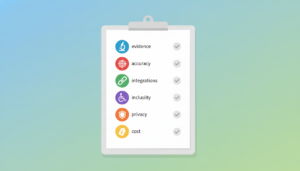
The scoring criteria (evidence level, accuracy, integrations, inclusivity, privacy/permissions, cost)
We used the same criteria across all apps so a beginner routine app isn’t unfairly compared to a strength programming tool:
- Evidence level (practical credibility): Is the training approach sensible (progression, recovery, balanced programming) and explained clearly for general users?
- Accuracy: Not “medical accuracy”—but whether the app reliably does what it promises (clear coaching cues, consistent logging, dependable device syncing).
- Integrations: Apple Health/Watch, wearables, casting to TV, smart equipment, music, or other platforms you already use.
- Inclusivity: Modifications, low-impact options, accessibility, supportive language, and beginner-safe progressions.
- Privacy & permissions: Does the app ask for only what it needs? Can you control sharing, visibility, and data connection settings?
- Cost clarity: Is the free tier meaningful? Are subscriptions and renewals obvious?
What “accuracy” means for different app types
“Accuracy” depends on what the app is built to do:
- Coach-led class apps: accuracy = clear instruction, safe pacing, good scaling options
- Strength programming/logging apps: accuracy = easy logging + progression you can follow
- Tracking/community apps: accuracy = reliable syncing + understandable summaries
- Beginner routine apps: accuracy = removes confusion so you repeat the right basics
Quick picker — choose the best app for your goal in under 2 minutes
Pick your main goal first, and you’ll instantly rule out most “wrong fit” apps.
If you’re a beginner and want low-pressure guidance with form-friendly coaching, start with Apple Fitness+, FitOn, Nike Training Club, Daily Workouts, or Home Workout – No Equipment.
If your goal is weight loss and you need consistency with steady progression, look at Peloton for coach-led variety, Apple Fitness+ for repeatable structure, Nike Training Club for programs, and Fitbit for habit visibility and tracking.
If you want home workouts with no equipment, keep it simple with Home Workout – No Equipment, Daily Workouts, FitOn, or Nike Training Club.
If you train in a gym and want strength programming plus logging, shortlist Fitbod, Nike Training Club, and Freeletics.
Comparison table — the 10 best workout apps at a glance
Don’t read every review—scan this table and shortlist 2 apps.
| App | Best for | Evidence | Privacy | Cost |
|---|---|---|---|---|
| Peloton | Motivation + classes | High | Set profile visibility | Subscription-based |
| Apple Fitness+ | Apple users | High | Health data sharing | Clear tiers |
| FitOn | Free-friendly variety | Med–High | Minimal profile | Free-first + upgrade |
| Nike Training Club | Strong free programs | High | Sharing off by default | Often free |
| Daily Workouts | Simple daily habits | Medium | Minimize permissions | Free + IAP/sub |
| Home Workout – No Equipment | Zero-gear strength | Medium | Check data safety | Ads/IAP common |
| Strava | Cardio community | Medium | Map visibility controls | Free + sub |
| Fitbit | Habit visibility | Med–High | Account/data sharing | Free + Premium |
| Freeletics | Adaptive challenge | Med–High | Review collection/sharing | Sub options |
| Fitbod | Gym strength plans | High | Review tracking settings | Subscription |
Best Workout App for Beginners
Peloton — best for motivation + coach-led classes (required)
Peloton is built around coach-led classes that make it easy to hit “play” and follow along, with a large library spanning strength, HIIT, cardio, mobility, and more.
Its biggest strength is motivation: the instructors, class energy, and variety reduce boredom and help many people stay consistent. The downside is that the best experience typically sits behind a subscription, and some sessions can feel intense if you start above your level.
Peloton is best for anyone who thrives on guided classes and wants workouts that feel engaging rather than self-directed. Pricing is subscription-based with tiers that can vary by platform and region, so it’s best to confirm the current plan options inside the app before paying.
Apple Fitness+ — best for Apple users + seamless ecosystem (required)
Apple Fitness+ offers a polished, on-demand workout library across multiple training styles and pairs especially well with the Apple ecosystem.
The main advantage is how seamless it feels for iPhone and Apple Watch users, making it easier to track workouts and build a repeatable routine without extra setup. A potential drawback is that you’ll get the most value if you already use Apple devices, and you still need to choose a simple weekly structure to avoid random, inconsistent sessions.
Apple Fitness+ is best for Apple-first users who want a smooth experience and straightforward guided workouts. Pricing is subscription-based through Apple with monthly or annual options that can vary by region or bundles, so check the current offer in your Apple subscription settings.
FitOn — best free-friendly option for variety (required)

FitOn is a free-friendly workout app that makes it easy to start immediately and explore different workout styles without feeling locked into a plan on day one.
The biggest benefit is the low barrier to entry and broad variety, which can be great for beginners figuring out what they actually enjoy. The tradeoff is that too much choice can become overwhelming if you don’t pick a simple track to repeat, and some advanced features may sit behind a paid tier.
FitOn is best for beginners and budget-conscious users who want variety while they build a habit. Pricing typically starts with a free tier and optional upgrades, so you’ll want to verify the exact subscription options in-app.
Nike Training Club — best free workouts with structured programs
Nike Training Club focuses on structured workouts and programs that help you avoid daily decision-making, with options suitable for both home and gym routines.
Its strongest point is the perceived value—many people use it as a high-quality, free starting point—plus the presence of programs that feel like a real plan rather than a random playlist. The downside is that the content library can be so large that it’s easy to browse instead of train, so committing to one program matters.
NTC is best for people who want structured guidance without paying upfront. Pricing is commonly free depending on region and platform, so confirm availability and any paid elements directly in the app store listing
Daily Workouts — best for simple routines that don’t overwhelm

Daily Workouts is designed for short, simple sessions that reduce friction and help you build a routine even on busy days.
The main advantage is consistency: when workouts are brief and clear, it’s easier to show up daily and avoid “all-or-nothing” thinking. The downside is that some users may find the routines repetitive over time, and certain features can be gated behind in-app purchases depending on the version.
Daily Workouts is best for beginners and time-boxed schedules where a 5–30 minute session is more realistic than long workouts. Pricing commonly includes a free option with in-app purchases or subscriptions, so check the current terms inside the app.
Home Workout – No Equipment — best for at-home strength with zero gear
Home Workout – No Equipment is built for bodyweight training at home with minimal setup, often including guided demos and basic progress tracking.
Its biggest strength is how accessible it is: no gear, small space, and quick routines can make it easier to stay consistent. The tradeoffs can include ads or in-app purchases depending on the version, and the depth of personalization may be limited compared with premium coaching platforms.
This app is best for anyone who wants to start strength training at home without buying equipment. Pricing typically follows a free-with-ads and optional in-app purchase model, so verify the exact offering in your app store.
Strava — best for runners/cyclists who want community accountability
Strava is best known for cardio tracking and community accountability, especially for running, cycling, and walking.
The biggest benefit is that social and community features can make workouts feel more motivating, and activity tracking can help you stay consistent week to week. The main downside is that it’s not a dedicated follow-along strength coaching app, and you’ll want to be careful with privacy settings if you track routes or locations.
Strava is best for runners and cyclists who want community nudges and a simple way to log progress. Pricing includes a free tier with optional subscription upgrades, and current plans are shown inside the app.
Fitbit — best for activity tracking + habit visibility (especially with a device)
Fitbit is centered on habit visibility—turning activity and recovery trends into something you can see and build on, especially if you use a compatible wearable.
The main advantage is long-term consistency: tracking steps, active minutes, and sleep can make effort feel real and measurable. The downside is that it’s not primarily a coached workout class platform, and some insights may require a premium tier depending on your setup and region.
Fitbit is best for people who stay motivated by data and want a unified view of daily activity habits. Pricing typically includes a free app experience with an optional premium subscription, so check the current tier details in your store/app.
Freeletics — best for guided training plans with progressive challenge
Freeletics focuses on guided training plans that emphasize progression and challenge, often adapting based on feedback and your setup.
Its biggest strength is structure: it can feel like having a plan that pushes you forward without you having to design workouts yourself. The downside is that intensity can ramp up quickly if you choose aggressive settings, so beginners should start conservatively and scale up later.
Freeletics is best for motivated users who want a plan that evolves and keeps workouts challenging. Pricing usually includes a free tier and multiple subscription options, so confirm the current plan choices in-app.
Fitbod — best for gym programming + strength progression
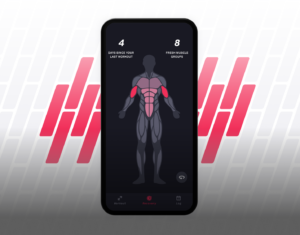
Fitbod is designed for strength training programming and logging, helping you walk into a gym with a clear session instead of guessing what to do next.
The biggest benefit is reduced decision fatigue combined with progression-focused workouts, which can be especially helpful for people new to lifting. The tradeoff is that full functionality is often tied to a subscription, and you still need to choose safe weights and prioritize proper form.
Fitbod is best for gym-based strength progression and users who want a personalized plan without manual programming. Pricing is subscription-based and can vary by platform, so check the current price and renewal terms in the app store before subscribing.
FAQs – choosing the best workout app for beginners
These answers remove the last 10% of doubt before you commit.
What’s the best workout app for beginners who feel intimidated?
Choose an app that gives you a day-by-day plan and clear modifications. For many beginners, that means Apple Fitness+, FitOn, Nike Training Club, Daily Workouts, or Home Workout – No Equipment.
What’s the best workout app for weight loss at home?
A good weight loss app supports consistency and a mix of strength + cardio (or higher daily activity). Peloton, Apple Fitness+, Nike Training Club, plus a simple home routine app can work well depending on your style.
Are free workout apps actually good enough?
Often yes—especially for beginners. The key is whether the free tier still lets you follow a structured plan consistently.
How do I know if a workout app is worth paying for?
It’s worth paying for if premium unlocks what you’ll actually use (progressive plans, better coaching, better logging, integrations) and you’ve proven you’ll show up.
How can I protect my privacy while using fitness apps?
Start private, disable auto-sharing, and only grant permissions required for features you use (like wearables). Don’t connect contacts/social accounts unless you want them.
Conclusion
Choosing the best app for workout comes down to one thing: picking the app you’ll actually use when real life gets busy. If you’re a beginner, prioritize low-intimidation guidance and a clear plan you can repeat. If weight loss is your goal, look for consistency tools and progression—not just “hardest workouts” or calorie-burn hype. If you train at home, remove friction with no-equipment routines and short sessions. And if you’re a gym-goer, choose strength programming and logging that tells you exactly what to do next.
Before you subscribe, take 60 seconds to lock in the privacy basics: keep your profile private, turn off auto-sharing, and only allow permissions that match the features you use. Then make the decision simple—pick one app, do one workout today, and commit to a 14-day test. That small commitment is often the difference between “I tried an app” and “I built a routine.”

User Reviews